

 Azərbaycanca
 Español
 Türkçe
 Русский
For schools & courses
One portal for your school or course center
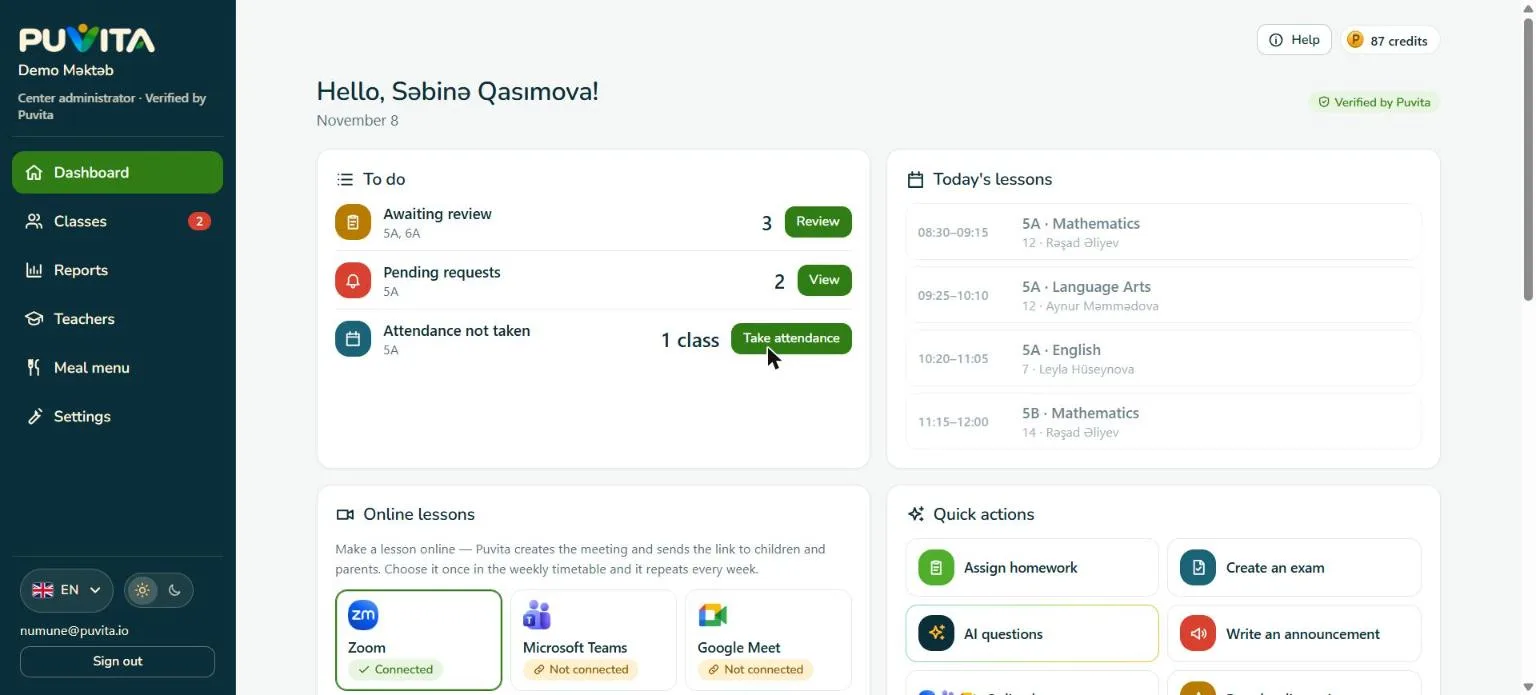
Puvita for centers is a web portal for schools, language centers and course centers. Register your center, let Puvita check it, then create classes with join codes, keep the timetable and attendance, set homework and exams, and message parents. A child joins only with a parent’s approval.
- Free to start
- Five languages
- Children join only with parent approval
100 free credits to start
AI drafts, the teacher approves
Built for small and mid-sized centers
Schools
Classes, timetable, food menu, attendance and parent communication.
Language centers
Groups by level, lesson links and quick results for parents.
Programming and tech courses
Course packs, modules and weekly quiz tasks.
Art and hobby studios
Groups, attendance and course fees in one place.
How it works
Start in three steps
Register
Create an account at center.puvita.io, add your center’s details and send the application.
Puvita checks it
Puvita reviews every center before it can work with children. You see the status in the portal.
Start teaching
Create classes, share join codes and invite teachers. A child joins a class only after a parent approves.
Everything in one place
27 tools for the whole school day
Pick a section to see what it does. The everyday tools are free.
Online and classroom
Run the lesson and the classroom day without extra tools.
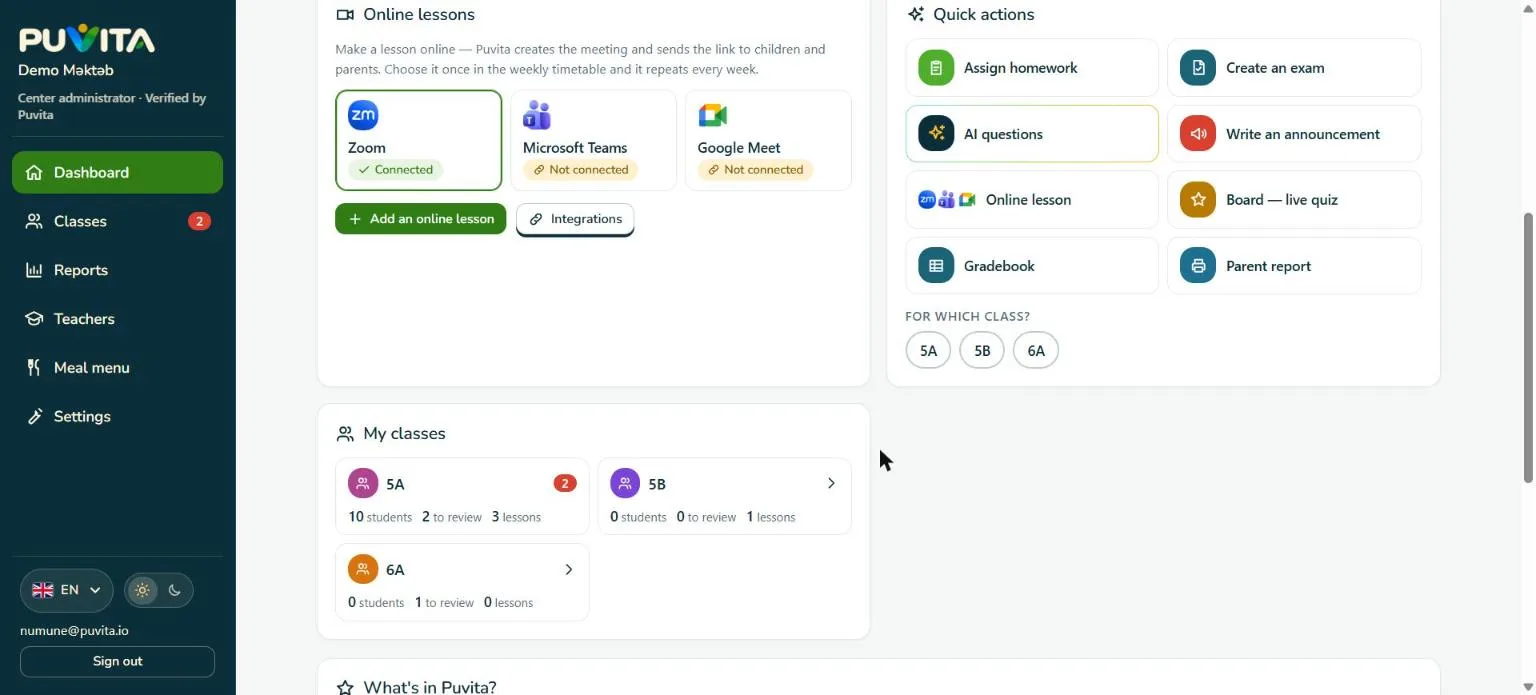
Online lessons
Connect Zoom, Microsoft Teams or Google Meet and Puvita creates the meeting for each lesson in your weekly timetable.
Join a class with a QR code
Every student gets a personal code and QR. The parent confirms with a PIN, and the child joins.
Live quiz board
Show a question on the projector, students answer on their phones and the result appears at once.
Attendance reminder
If attendance is not marked when a lesson ends, Puvita reminds the teacher. “Everyone came” is one button.
Lesson materials
Upload a PDF, picture, Word or Excel file to a class; students and parents open it in the app.
Timetable from Excel
Paste the timetable and Puvita recognises the days and times by itself.
Homework and exams
Set work, check it automatically and see results at once.
Quiz homework
The student solves the task in the app, and Puvita checks it and gives the mark.
Ready question bank
Hundreds of ready questions by age and subject: build an exam set in one click.
Paper exam
Print answer sheets, scan them with a phone and the results are entered for you.
Ready course packs
Every Monday a quiz task for the week goes to the class automatically.
Exams with your own questions
Write your own questions, choose the time window and send each student their result.
Motivation through play
Tasks and exams earn children trophies in the Puvita app, so doing the work feels like a game.
AI assistant for teachers
Optional tools that draft the work. A teacher always checks it. Children never use AI.
AI exam questions
Type a topic, paste lesson material or take a photo. Questions are drafted and you approve each one.
Questions from a photo or text
Photograph a textbook page or paste a text and get draft questions to review.
Homework by voice
Say the task out loud and Puvita fills in the homework card; you check it before sending.
Three levels from one topic
Different tasks on the same topic for weaker, average and stronger students.
AI message draft
Get a polite draft of a message to a parent or class, then edit and send.
A sentence for parents
The Sunday summary gets one AI sentence about the class’s week.
Reports and parents
Parents and managers see the real picture without extra paperwork.
Electronic journal
Attendance and marks in one table, exportable to Excel, CSV and PDF.
Parent report and certificate
One page per student, ready to print for a meeting.
Sunday summary for parents
Every Sunday parents see tasks, exams and attendance on their own phone.
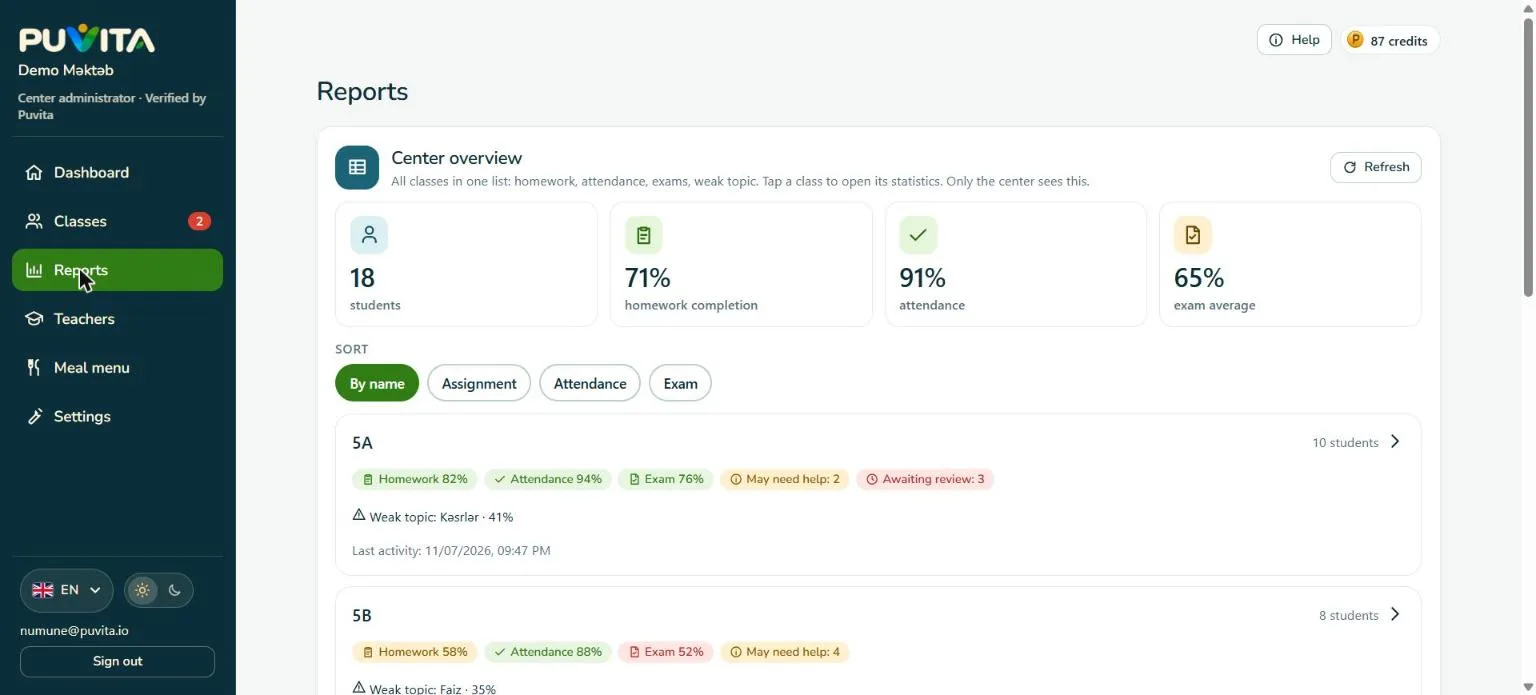
Center overview
All classes on one screen: who needs help and which topics are weak.
Course fees
Record monthly or course fees, payments and debt in one place and print a receipt. Money does not pass through Puvita.
School food menu
Schools publish the weekly menu with allergen labels for parents and students.
Quick start
Move from your old system in an afternoon.
Move from your old system
Paste your student list from Excel and the codes are created for you.
Classes and teachers
Create classes with a join code and invite teachers with an invitation code.
Course program
Paste modules and lessons from text so a student sees where they are.
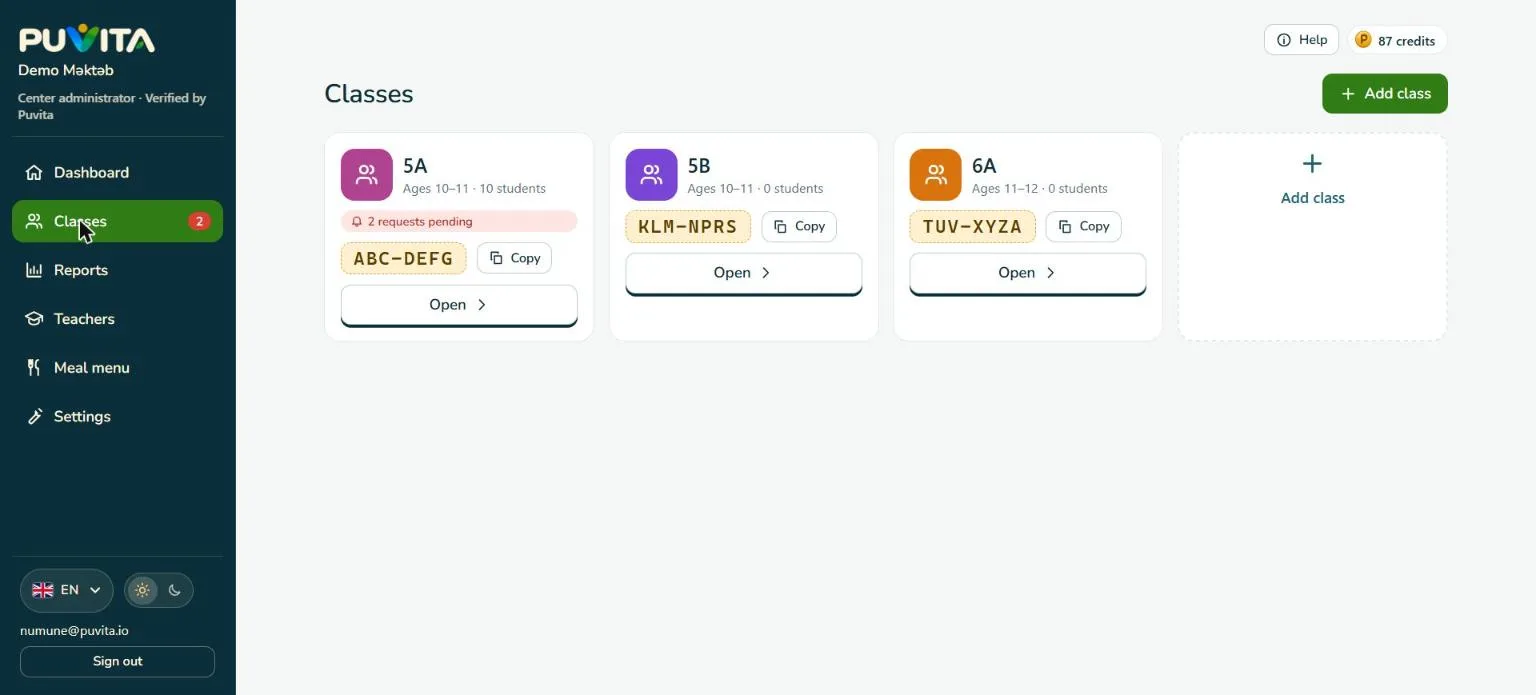
Inside the app
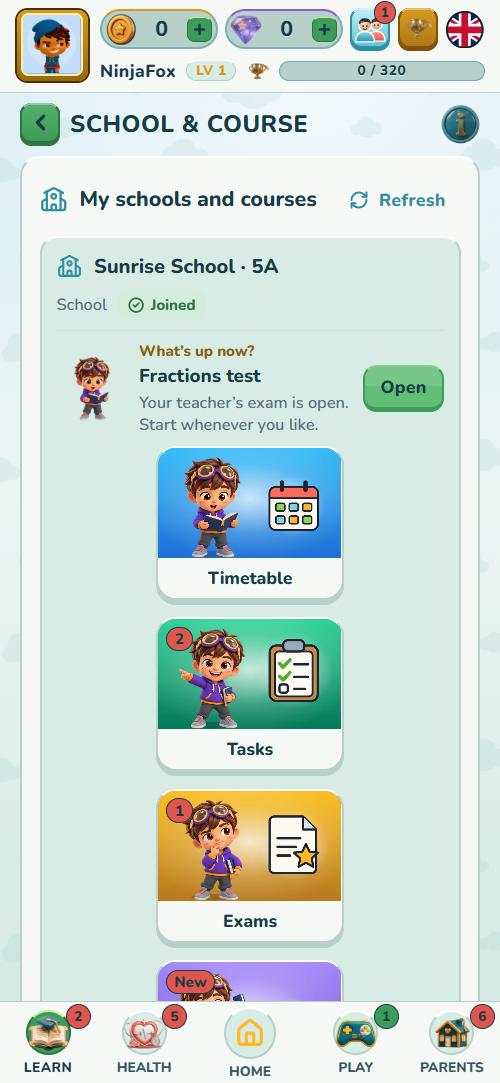
What students see in the Puvita app
Everything your center publishes appears in the student’s app straight away: the timetable, homework, exams and messages from teachers.
And parents
- Approve joining your center with their PIN
- See marks, attendance and teacher notes
- Get a Sunday summary of the week
SchoolWhat’s up now and every section 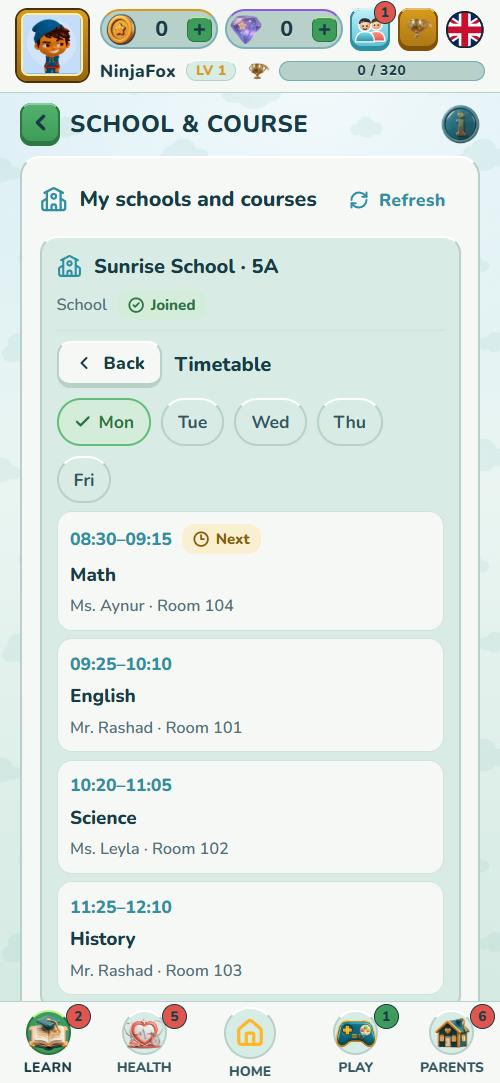
TimetableLessons, teachers and rooms 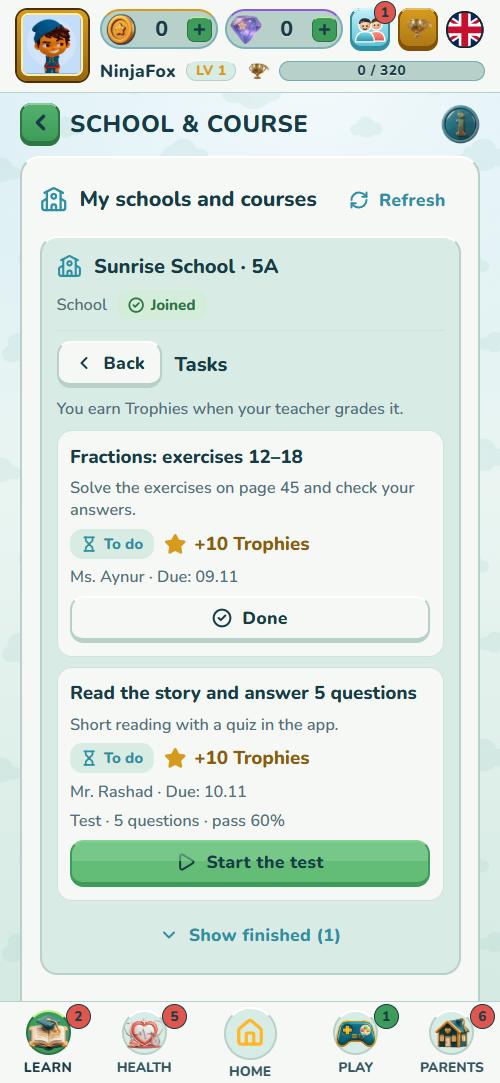
HomeworkMark it done or take the test 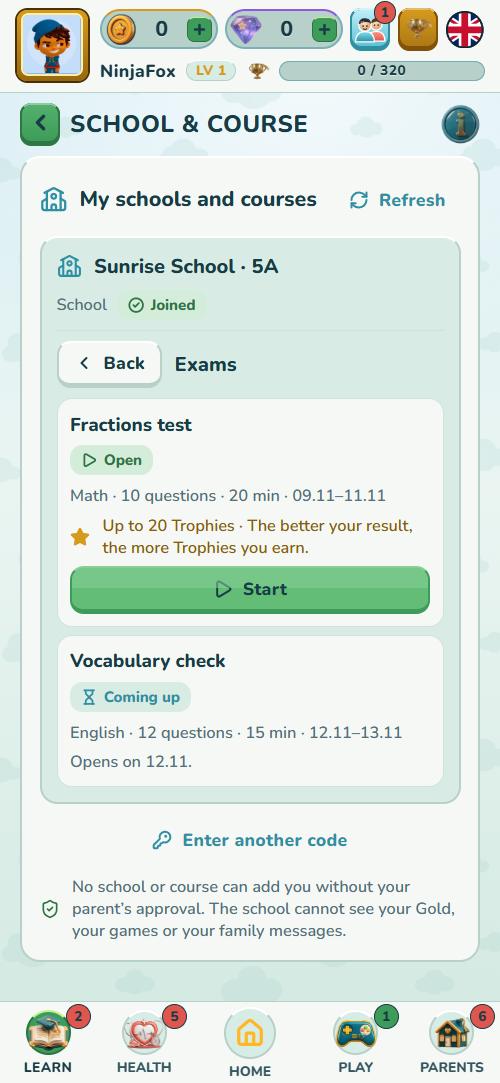
ExamsOpen and upcoming exams
Safe for children
Clear for parents, careful with children
Every center is checked
Puvita reviews each center before it can work with children.
Parents approve
A child joins a center only with a parent’s approval (parent PIN).
Safety filter
Every message is checked by a safety filter. Puvita has no ads.
Names stay in your list
A student’s real name stays in your own list; the child’s Puvita profile uses a nickname.
Pricing
Simple credits, with the essentials free
Puvita works with credits. The things you use every day are free; credits pay for optional tools and for the students who actually take part. Credits you buy do not expire.
Always free
- Teacher accounts
- Classes
- Student registration
- Messages and news
- Attendance
- Timetable
- Regular homework
What uses credits
- Exam5
- AI exam questions8
- Questions from a photo12
- Questions from text12
- AI or voice homework5
- AI weekly summary6
- AI message draft3
- Ready course pack20
1 credit ≈ $0.10
Credit packs
- 100credits$9.99
- 200credits$19.99
- 300credits$29.99
- 500credits$49.99
- 1000credits$99.99
Prices are in US dollars and may change; the app shows the current price before you confirm.
Credit calculator
Tools in 30 days
- Exam
- AI exam questions
- Questions from a photo
- Questions from text
- AI or voice homework
- AI weekly summary
- AI message draft
- Ready course pack
Students
Tools
Total for 30 dayscredits
Suggested pack
An estimate. The app shows the exact amount before you confirm.
Active students
Credits per active student for 30 days, by the student’s number in your center
- 1–108per student
- 11–207per student
- 21–505per student
- 51+3per student
Each student who takes part in a 30-day period uses credits: 8 for each of the first 10 students, 7 for students 11–20, 5 for students 21–50 and 3 from the 51st. Students who do not take part cost nothing.
Example: 25 active students use 10 × 8 + 10 × 7 + 5 × 5 = 175 credits in 30 days.
New centers get 100 credits to start, and they do not expire. Credits are bought in the Puvita mobile app, not on this website. Amounts may change; the app always shows the current price before you confirm.
Register your centerFAQ
Questions centers often ask
Didn’t find your answer? Write to us and we will help.
Ask us a question
What is Puvita for centers?
Puvita for centers is a web portal for schools, language centers and course centers. Teachers create classes, keep the timetable and attendance, set homework and exams and message parents, while students use the Puvita app.
How do I register my center?
Open center.puvita.io, create an account, add your center’s details and send the application. Puvita checks the center and you see the status in the portal.
Is it free?
Registering, teacher accounts, classes, student registration, messages, attendance, the timetable and regular homework are free. Optional tools such as exams and AI use credits, and active students use credits as shown in the pricing section.
How does a child join my class?
You share a class code or a student’s personal QR code. The child sends a request, the parent approves it with a PIN, and then your center confirms the student against your list.
Who can see student data?
A student’s real name stays in your own list. Teachers see only their classes, and parents see only their own child’s marks and attendance. See the Privacy Policy for details.
Does Puvita use AI?
Optional AI tools are for adults only: teachers and center staff. A teacher checks every AI draft before students see it. Children never use AI in Puvita.
Can I teach online?
Yes. Connect Zoom, Microsoft Teams or Google Meet and Puvita creates the meeting for each lesson in your timetable. Students open the link in the app.
Which languages does the portal support?
The portal is available in Azerbaijani, English, Spanish, Turkish and Russian.
Ready to bring your center to Puvita?
Register in a few minutes, or write to us and we will help you start.